


Get the 9socials app
Add 9socials to your home screen. It opens full screen like any app. Free, no app store, done in a few taps.
- 1
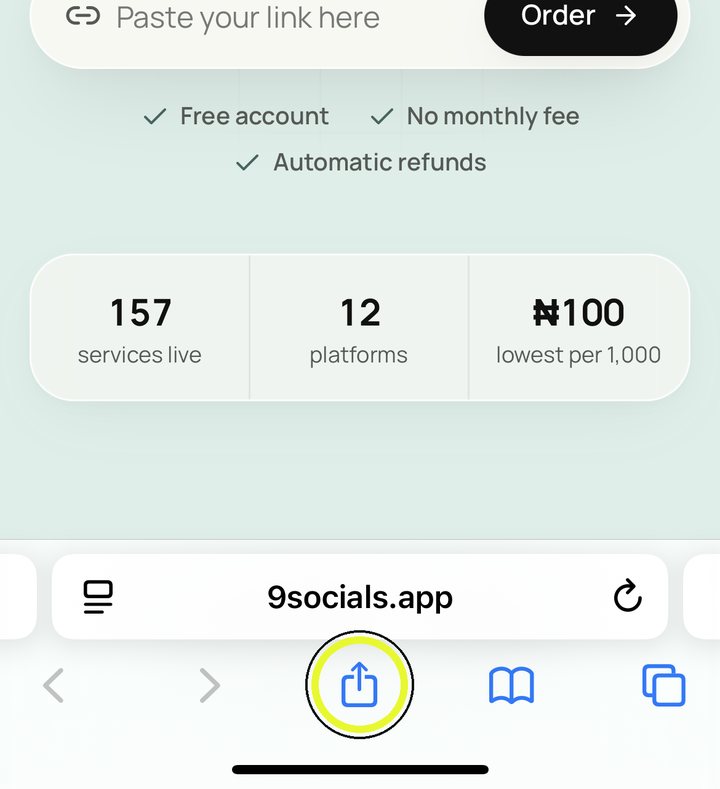
Tap the Share button
At the bottom of Safari: the square with an arrow pointing up.
- 2
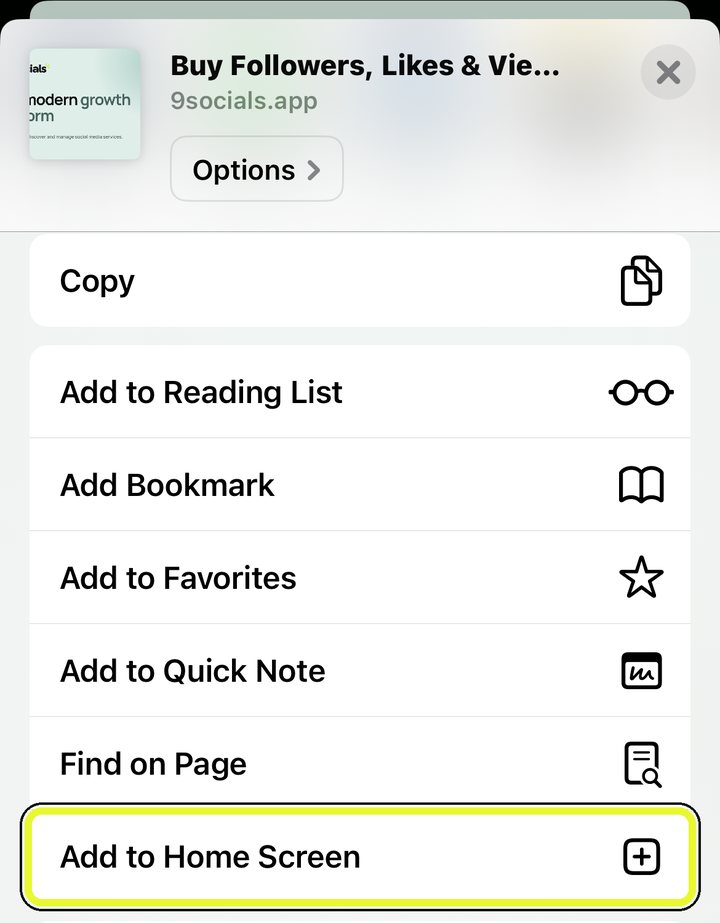
Tap “Add to Home Screen”
Scroll down the list a little if you don't see it.
- 3
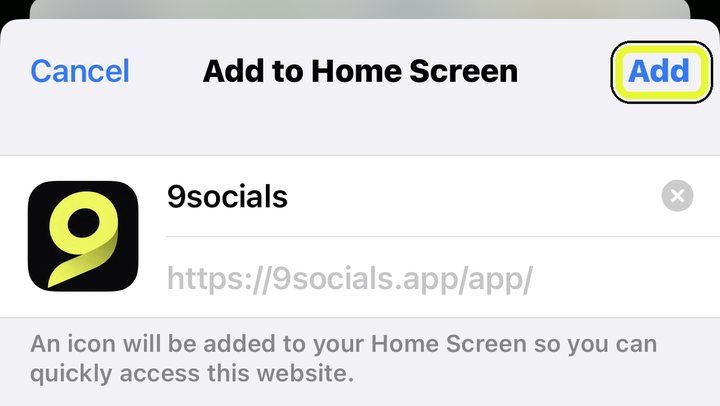
Tap “Add”
At the top right. You can keep the name 9socials.
- 4
Open 9socials from your home screen
It opens full screen, like any other app. Sign in once and you're set.

Need help? Help & FAQ